
Terminal UI
RustMail includes a built-in terminal UI (TUI) that connects to a running RustMail instance. It provides a full email browser in your terminal with real-time updates via WebSocket.
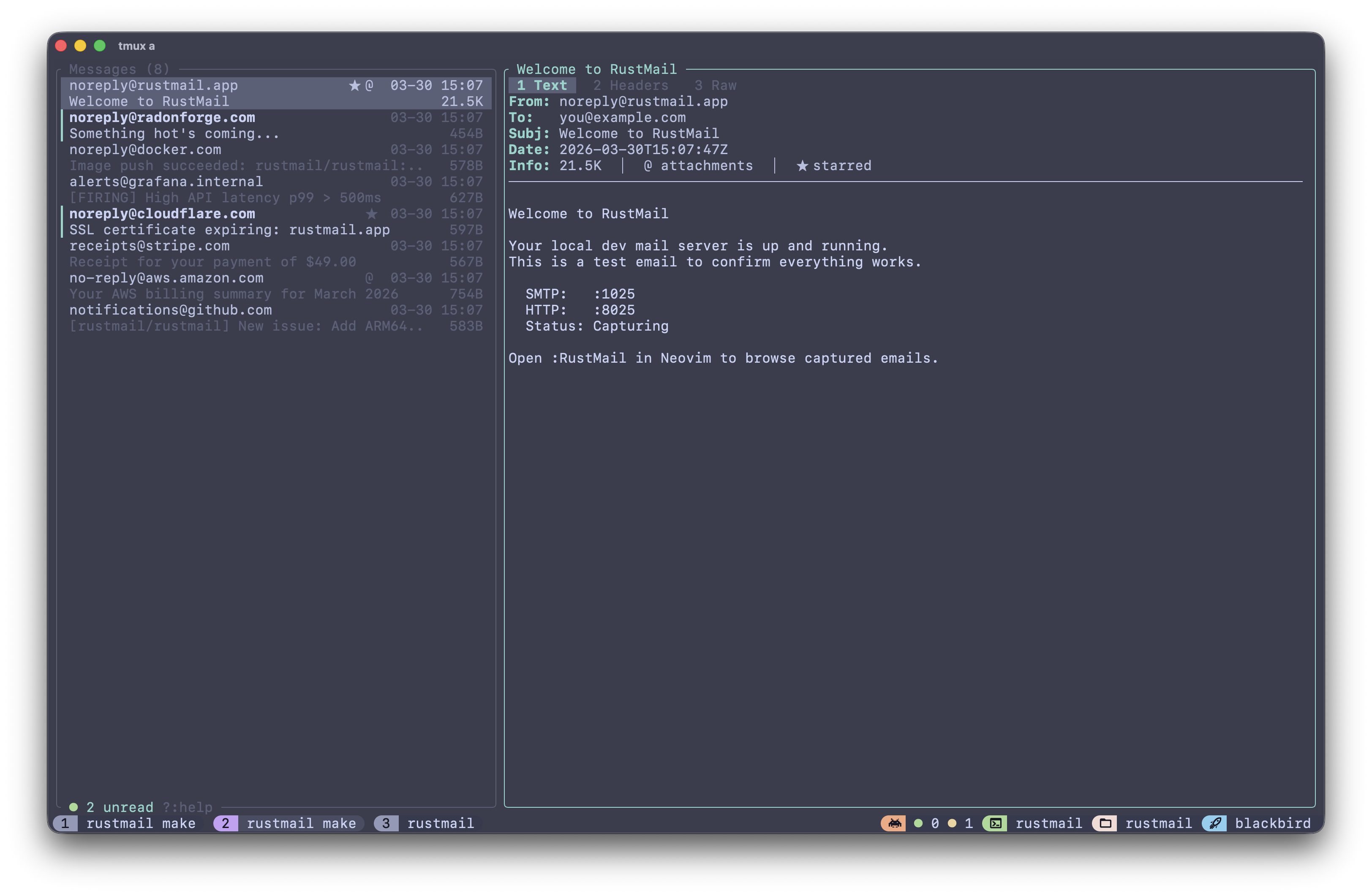
Usage
sh
rustmail tuiConnect to a specific host and port:
sh
rustmail tui --host 192.168.1.10 --port 8025INFO
The tui subcommand requires the tui feature flag. Pre-built release binaries include it by default. Docker images do not (headless use case).
Options
| Flag | Default | Description |
|---|---|---|
--host | 127.0.0.1 | RustMail server host to connect to |
--port | 8025 | RustMail HTTP port |
Keymaps
Message List
| Key | Action |
|---|---|
j / Down | Select next message |
k / Up | Select previous message |
Enter / l / Right | Open selected message |
Tab | Switch focus between list and preview |
/ | Search |
r | Toggle read/unread |
s | Toggle starred |
d | Delete selected message |
D | Delete all messages (with confirmation) |
R | View raw message |
g | Jump to first message |
G | Jump to last message |
] | Next page |
[ | Previous page |
? | Help |
q | Quit |
Message Preview
| Key | Action |
|---|---|
j / Down | Scroll down |
k / Up | Scroll up |
Esc / h / Left / Tab | Back to list |
1 | Text tab |
2 | Headers tab |
3 | Raw tab |
r | Toggle read/unread |
s | Toggle starred |
d | Delete message |
R | View full raw source |
q | Quit |
Neovim Integration
The TUI is also available as a Neovim plugin with floating windows and custom keymaps. See rustmail.nvim.